Each session happens inside Google Meet.
A cohort meets once a week on a Google Meet™ call, and the Human Shaped add-on puts that session's plan, its clock, and its questions in Meet's own side panel, so the people in the call stay the thing everyone is looking at and nobody has to keep a second page open beside it.
Free, from the Google Workspace Marketplace™. You add it once, with the Google account you use for Meet.
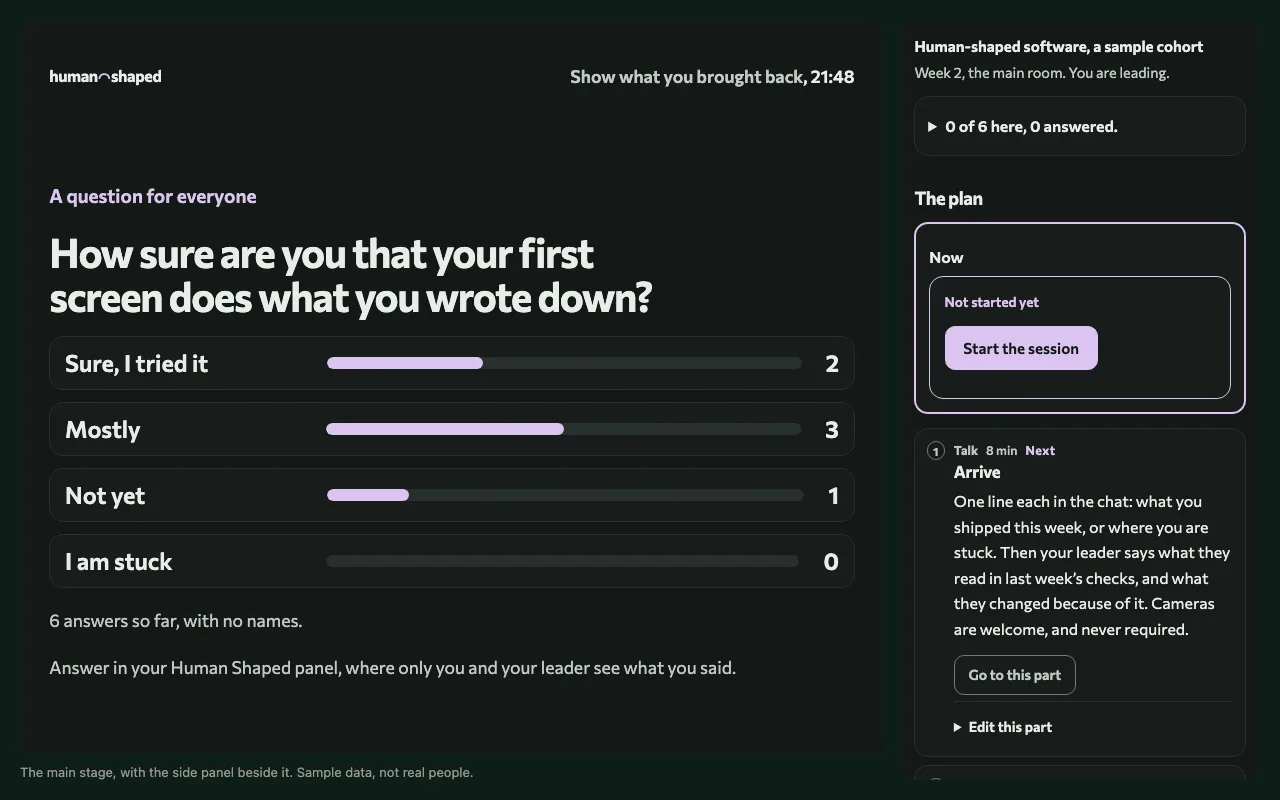
What it does while you meet.
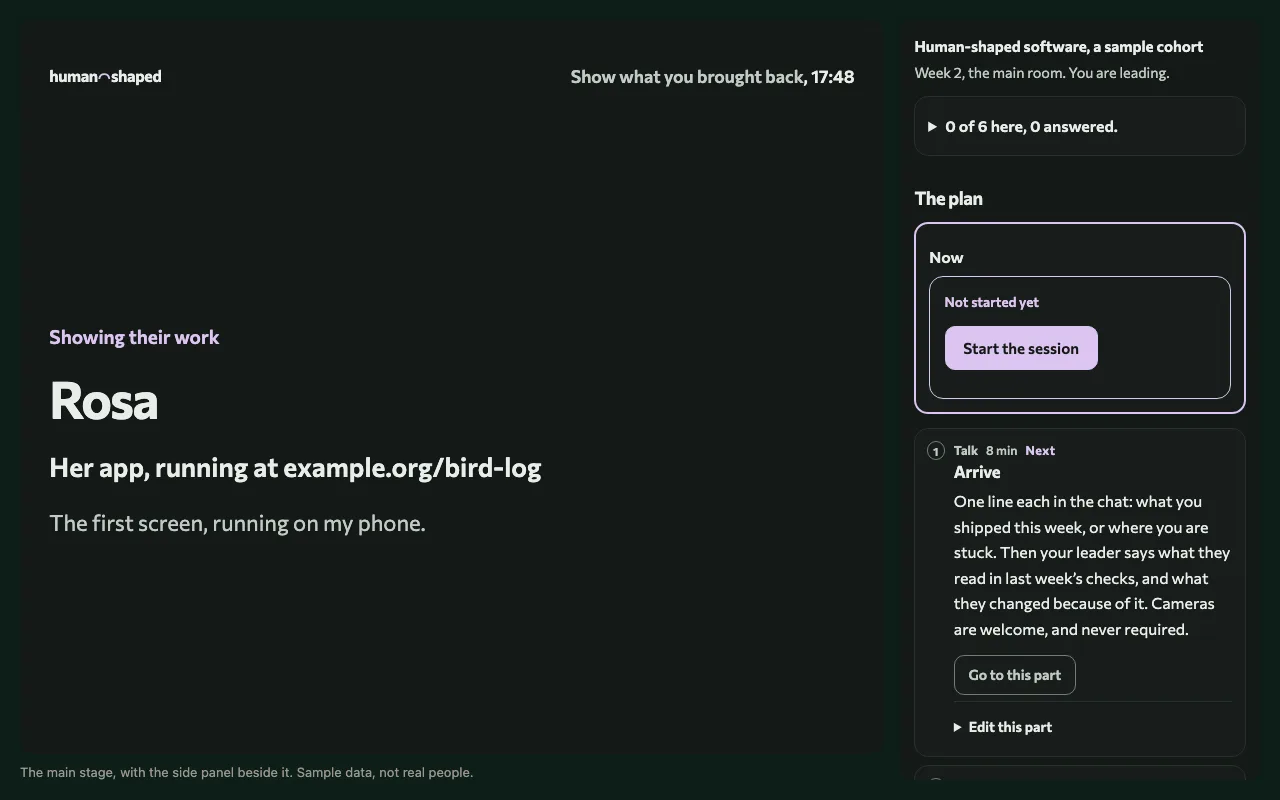
The panel knows which cohort and which week the call belongs to from the call's own link, so nobody picks anything by hand. A leader sees the part of the session that is happening now and its clock, who is ready to show their work and in what order, and the questions they prepared, and can put one thing at a time on the main stage for everyone: a welcome as people arrive, a question with its count of answers, or someone's app while they talk about it.
A learner's panel follows the same session. It shows where the call is in the plan, it is where you answer a question, with your name kept off the main stage's count, and it holds the class chat, which is your cohort's conversation on GitHub.
Why the session lives in the call.
The heart of every session is people showing what they built that week and talking through the decisions they made, so the tools should stay out of the way of that conversation. Everything a session needs is prepared beforehand on its page on humanshaped.org, and once the call starts, the add-on carries that preparation into Meet, which means a leader runs the hour without leaving it and a learner never has to wonder which window matters.
Adding it, and opening it in a call.
- Press Add it to Google Meet and install Human Shaped with the Google account you join calls with.
- Join your session from its calendar event or from the session's page on humanshaped.org.
- In the call, open Activities, choose Human Shaped, and sign in with Google or with GitHub.
When your leader opens the main stage, Meet asks everyone in the call to join it, and offers the add-on to anyone who has not installed it yet.
Meet runs add-ons only in a computer's browser, and some schools and workplaces turn them off for their accounts. In either case, the session's page has Open the session panel, which is the same panel in a browser tab, so nobody misses anything.
What it never does.
It never transcribes the call, never measures who talks, and never joins as a participant. From Google it asks only to sign you in, which shares your name, email address, and profile picture, and the only thing it reads from Meet is the call's meeting code. A leader can record a session with Human Shaped's recorder, which opens in its own window, only after saying so out loud and in the chat, and everyone sees that it is recording. The privacy page says what is kept and for how long.
Google Meet™ and Google Workspace Marketplace™ are trademarks of Google LLC.